E-signatures is out ! 🎉 Families can now sign off care plan reviews online
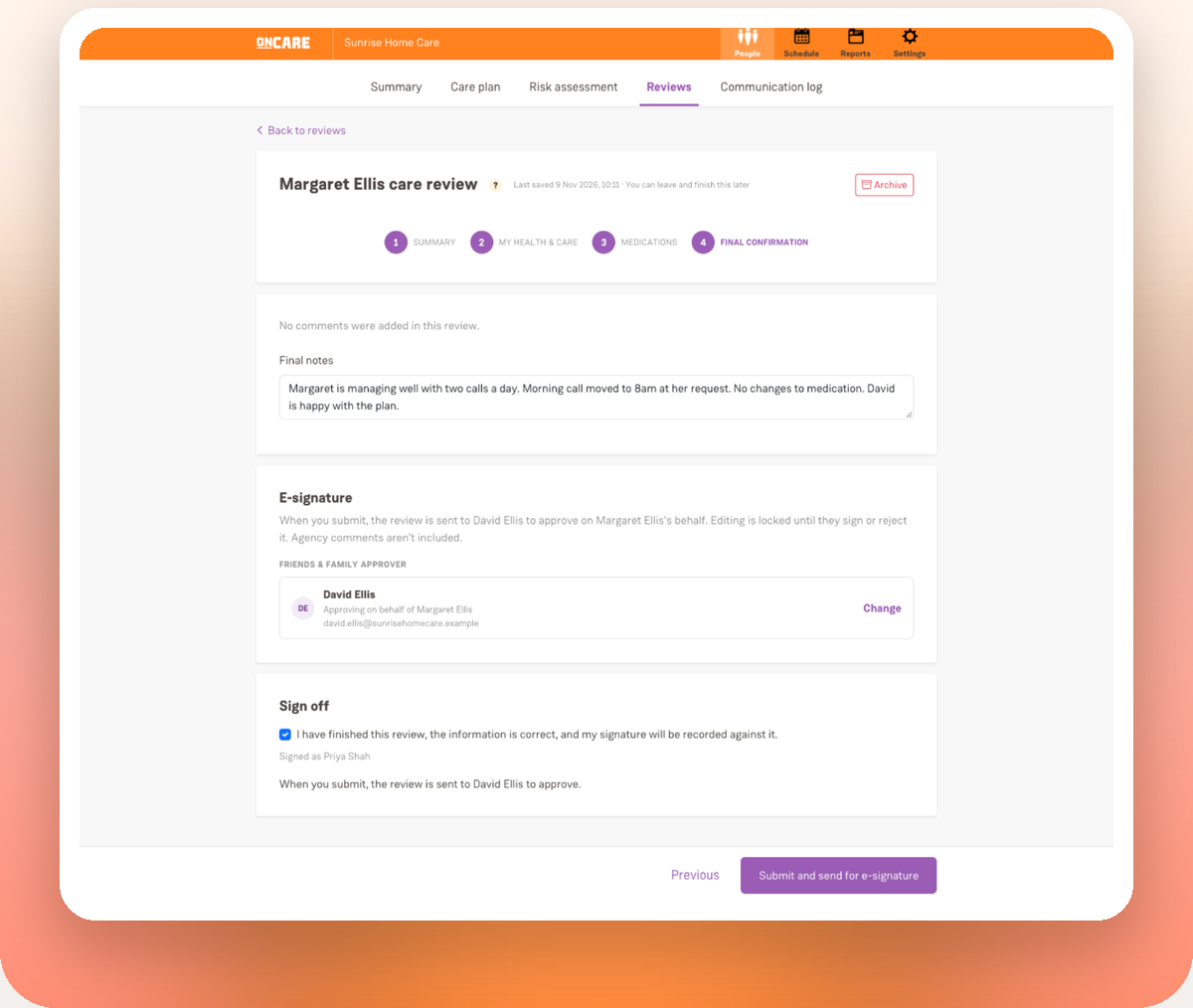
Office staff and families can now approve care plan reviews online with an e-signature.
Why it matters
Getting a family to sign a care plan review usually means printing it, posting it or waiting for the next visit. Now the review goes to them by email and they approve it from their own account, so you have a dated family approval on every review for CQC.
How it works
Choose the family member who approves reviews, on the client's profile or on the last step of the review
Sign it off and click Submit and send for e-signature
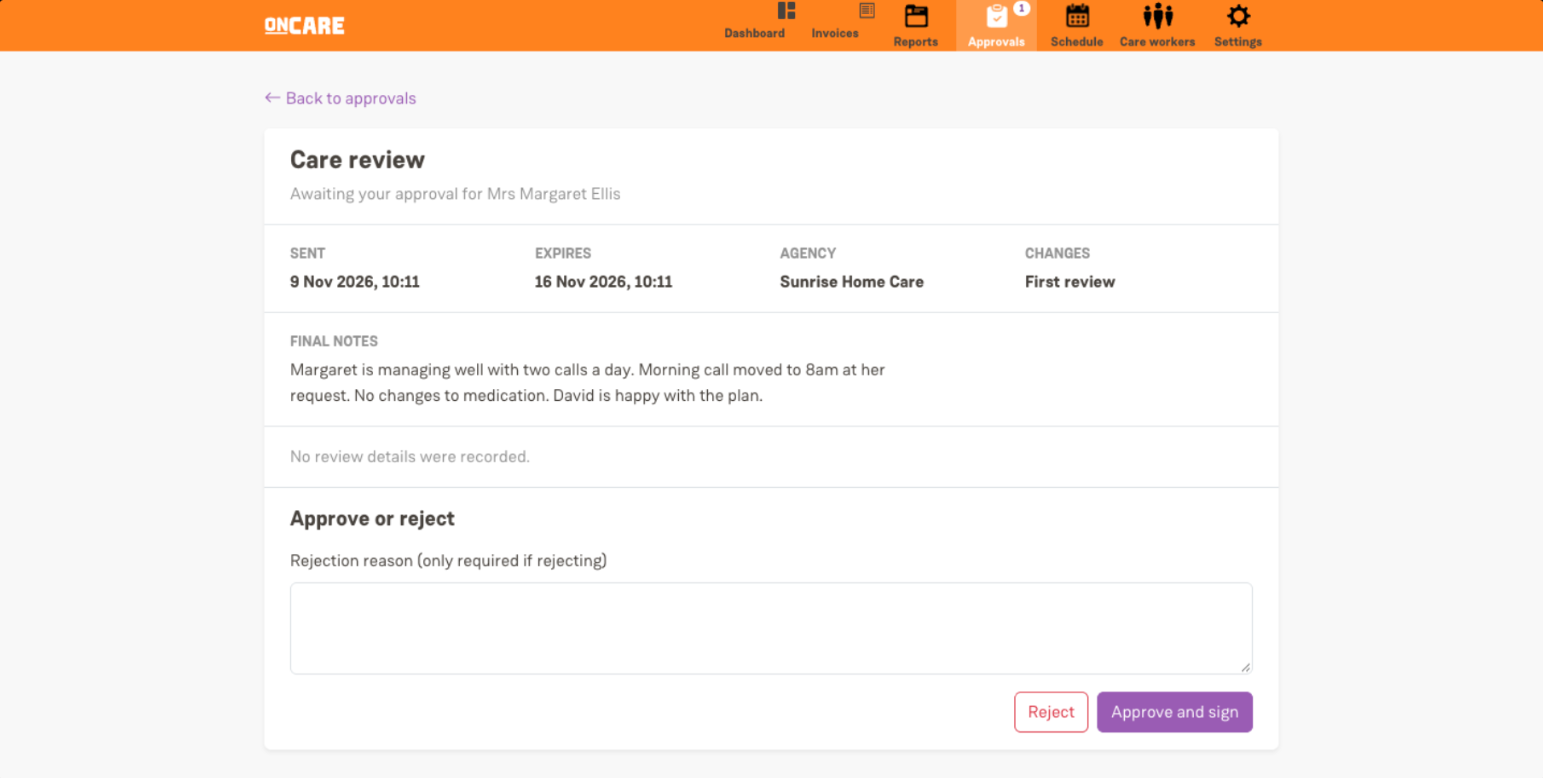
The family gets an email, reads the review in their account and approves it, or sends you a reason
The approved review shows who signed it and when
Getting started
There is nothing to switch on, it is live for every agency today. The full guide is in our Help Centre: Care Reviews
Questions? Contact your account manager.