Medication Stock Tracking - Know when a client's medication is running low
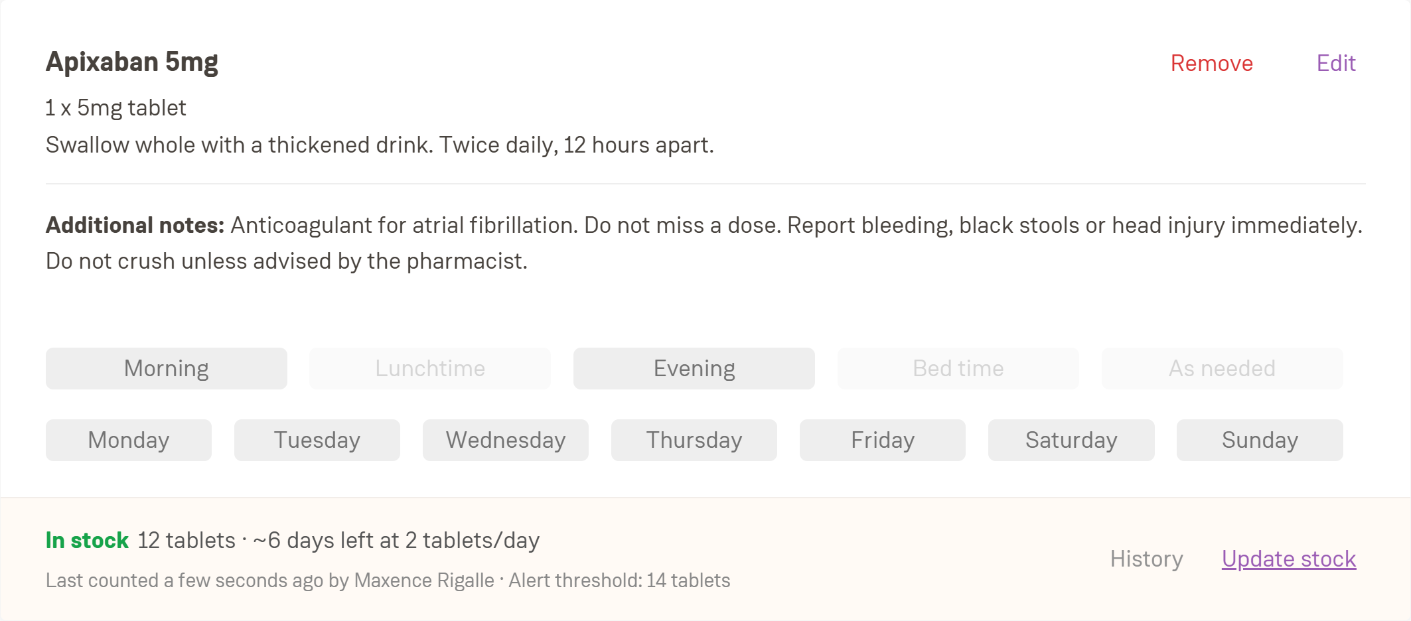
We’ve just released Medication Stock Tracking, so running out of medication stops being the reason a dose gets missed.
Why it matters
In home care, the first person to notice a box is nearly empty is usually the care worker in the client’s kitchen, and the office often only finds out when a dose is marked Not taken: Out of stock. Now you can see how much each client has left, who counted it last, and get alerted while there is still time to reorder. It also gives you clear evidence for CQC that medicines are managed safely and are available when people need them.
How it works
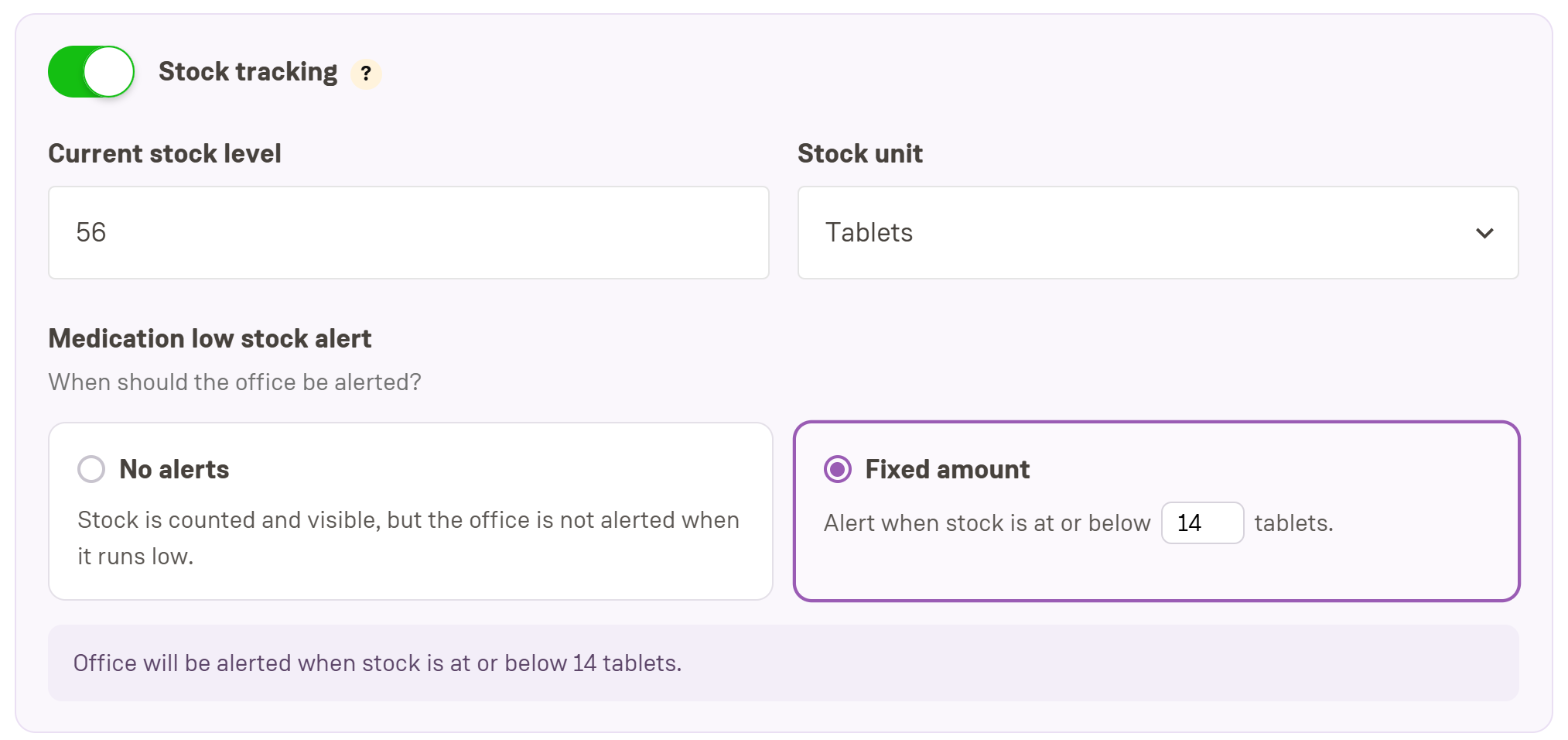
Switch on stock tracking per medication, choose a unit (tablets, packs, mL and more) and set a low-stock threshold
Care workers update the count from the app during a visit, and the office can update it after a delivery or recount
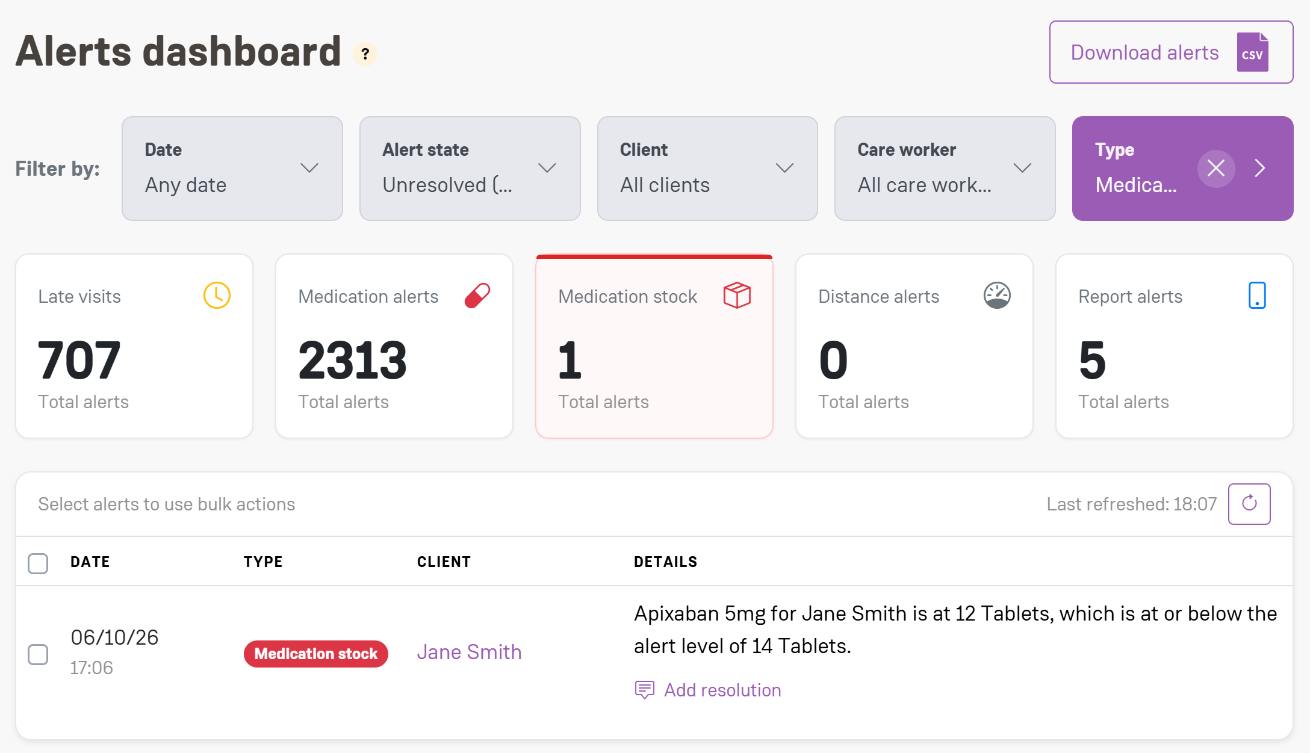
When stock hits your threshold, a Medication low stock alert appears on the Alerts dashboard, and staff who opt in get an email
Every count is kept in a full stock history, with who counted and when
In the app
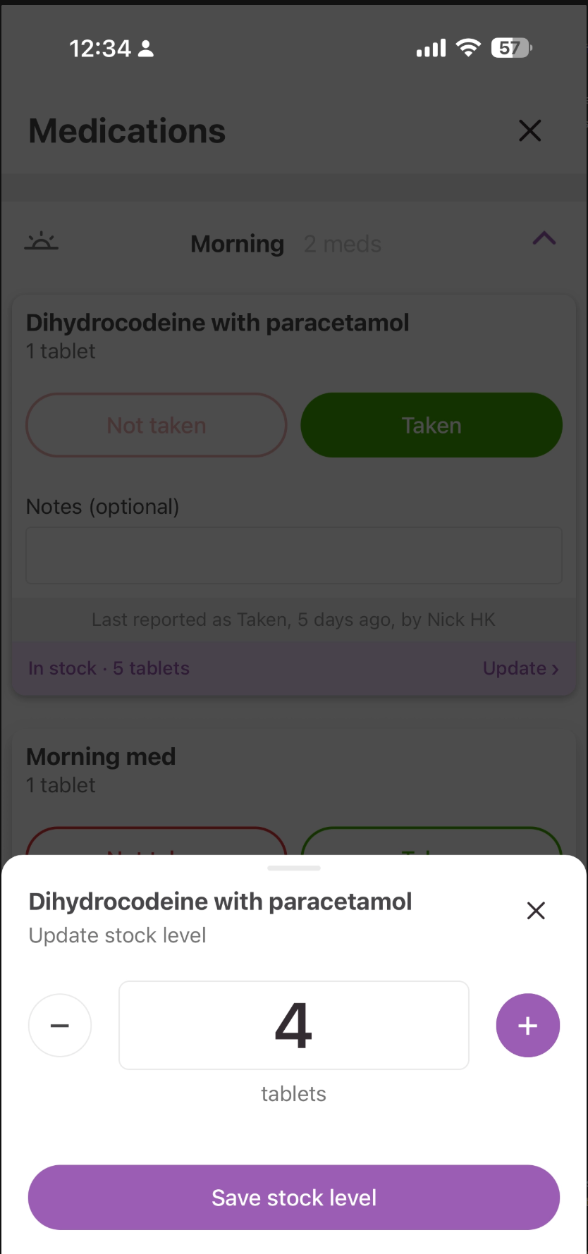
Care workers see a stock bar on each medication during the visit and tap Update to enter the total remaining. The new count reaches the office once the visit report syncs.
Alerts and the Compliance Dashboard
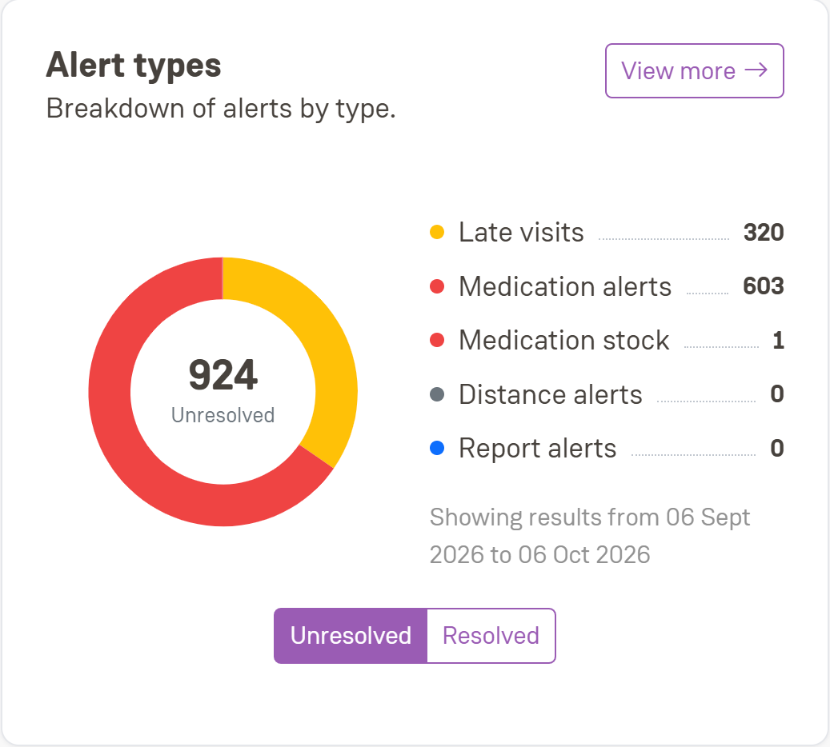
Low-stock alerts have their own Medication stock type, separate from missed medication alerts. Resolve each one with a note on what you did, which is exactly the audit trail inspectors look for. They also show on the Compliance Dashboard’s Alert types card.
Getting started
Switch stock tracking on from any client’s Medication panel. The full step-by-step guide is in our Help Centre: [Link: Help Centre article, Medication Stock Tracking]
Questions? Contact your account manager.