Visit Report PDF Export - Every visit report for a client, in one PDF
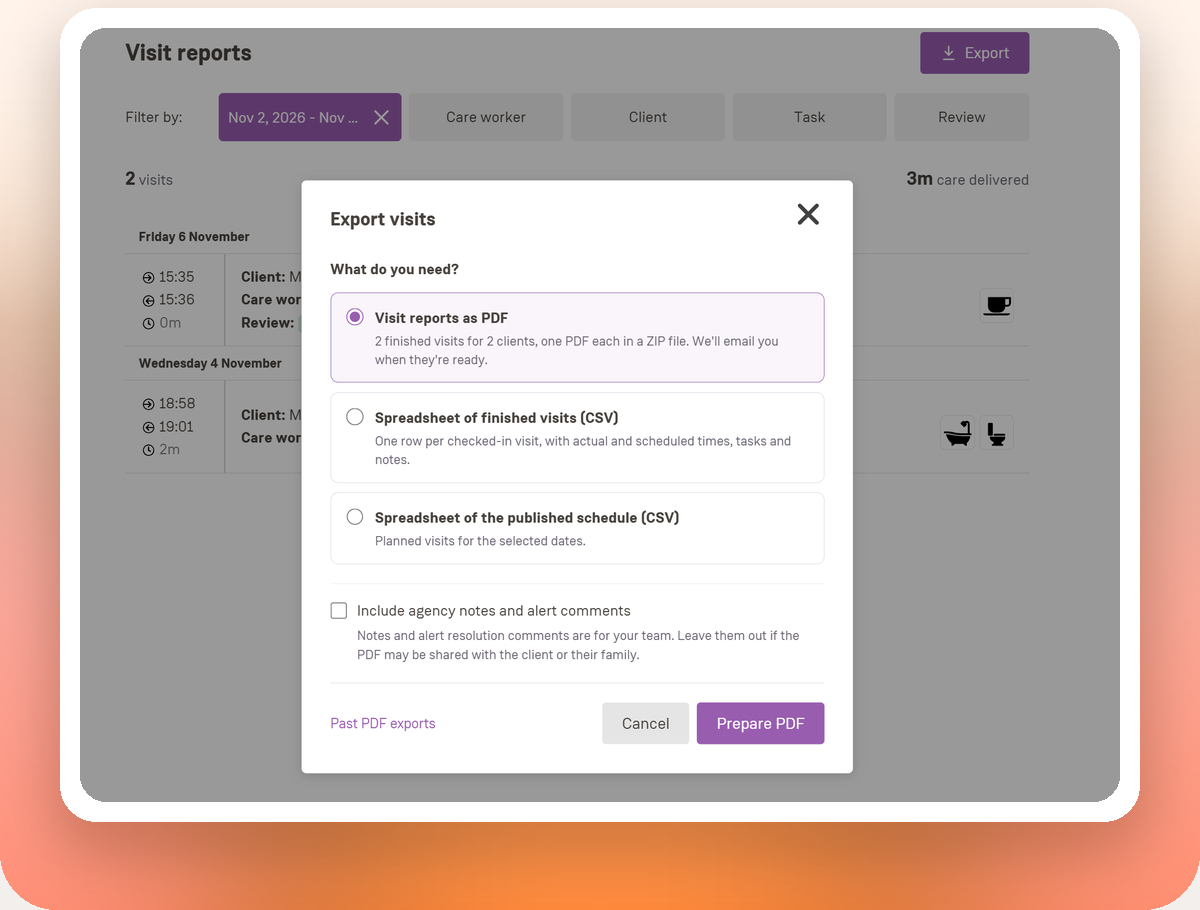
You can now export your visit reports as PDFs, straight from Visit reports.
Why it matters
When an inspector, a commissioner or a family asks for visit records, someone usually loses an afternoon printing reports one by one. Now it takes a filter and a click. For CQC, it gives you a clean, dated record of the care each person actually received, ready the moment an inspector asks.
How it works
Go to Reports, then Visit reports, and filter by date, care worker, client, task or review
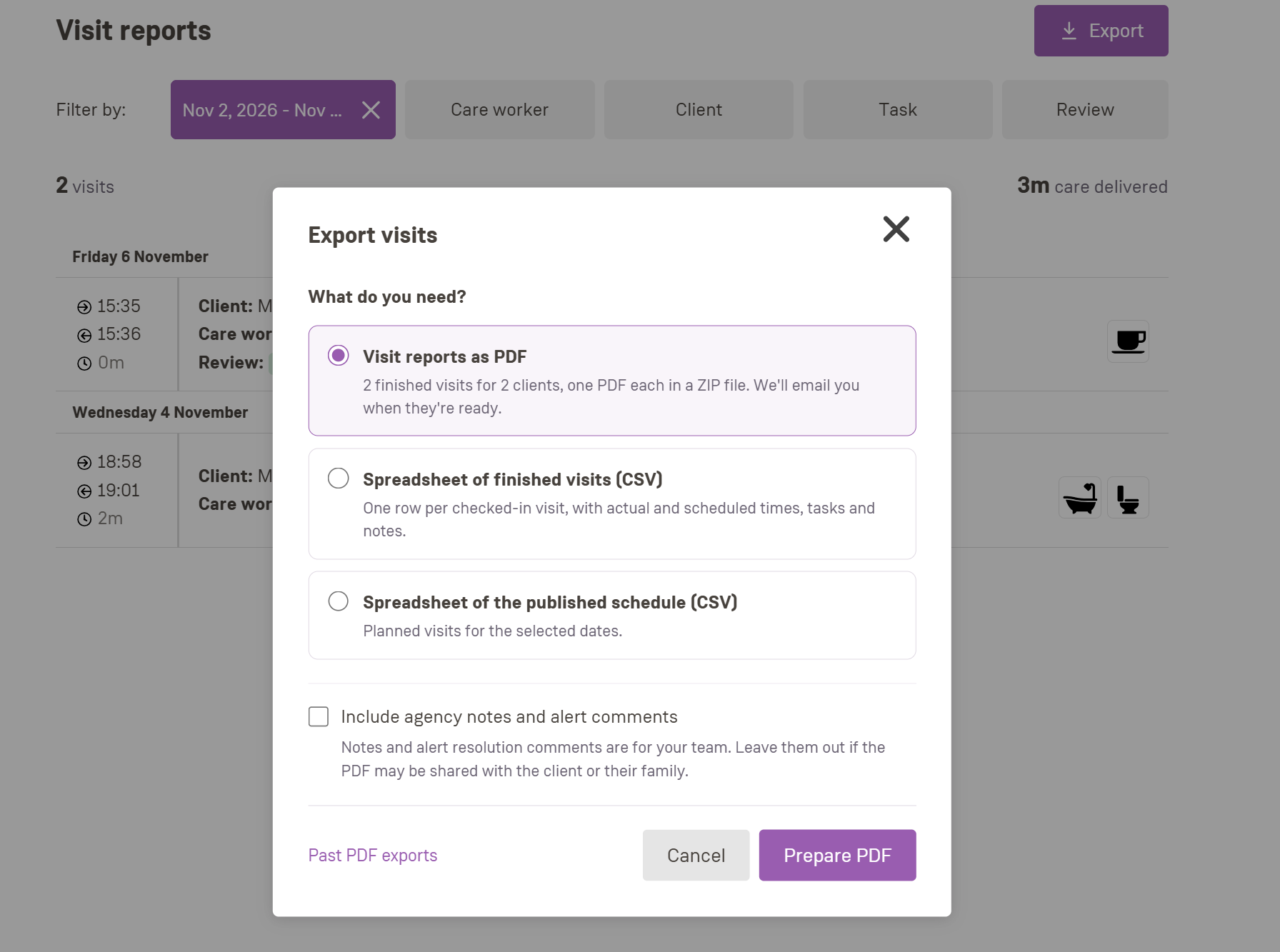
Click Export and choose Visit reports as PDF
Click Prepare PDF. We prepare it in the background and email you when it is ready, so you can leave the page
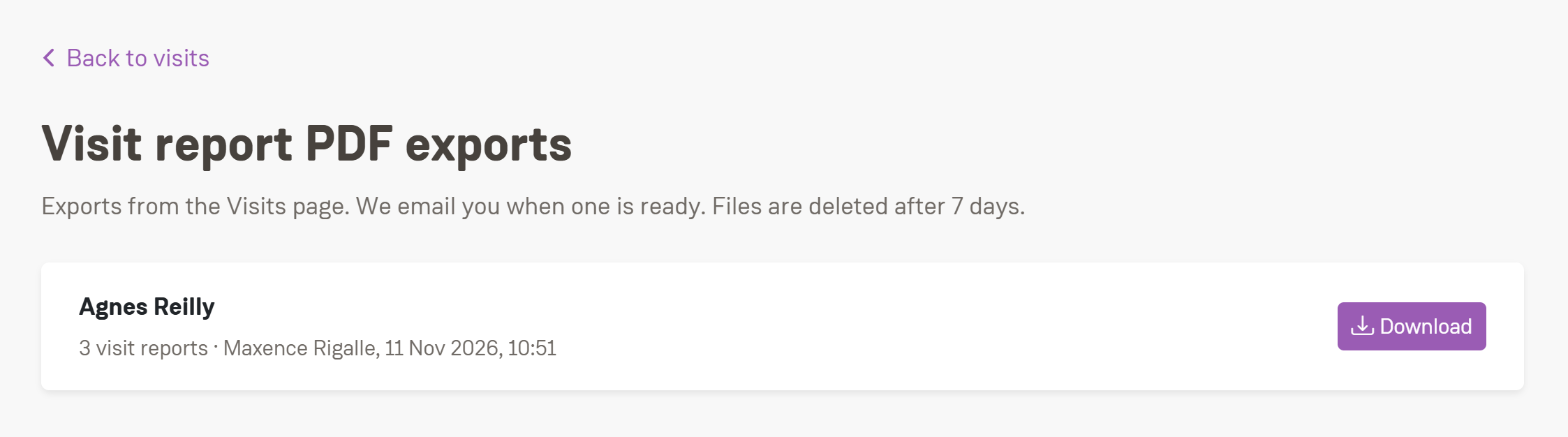
Download it from Past PDF exports
Good to know
Only finished visits are included
Agency notes and alert comments are left out by default. Tick Include agency notes and alert comments if the PDF is for your team only, and leave it unticked if it may be shared with the client or their family
Files are deleted after 7 days, so download and file them
The CSV exports are still in the same window: Spreadsheet of finished visits and Spreadsheet of the published schedule.
Getting started
There is nothing to switch on, it is live for every agency today. The full guide is in our Help Centre: Exporting Data from OnCare
Questions? Contact your account manager.