Family Dashboard Upgrade - Everything families need, in one place
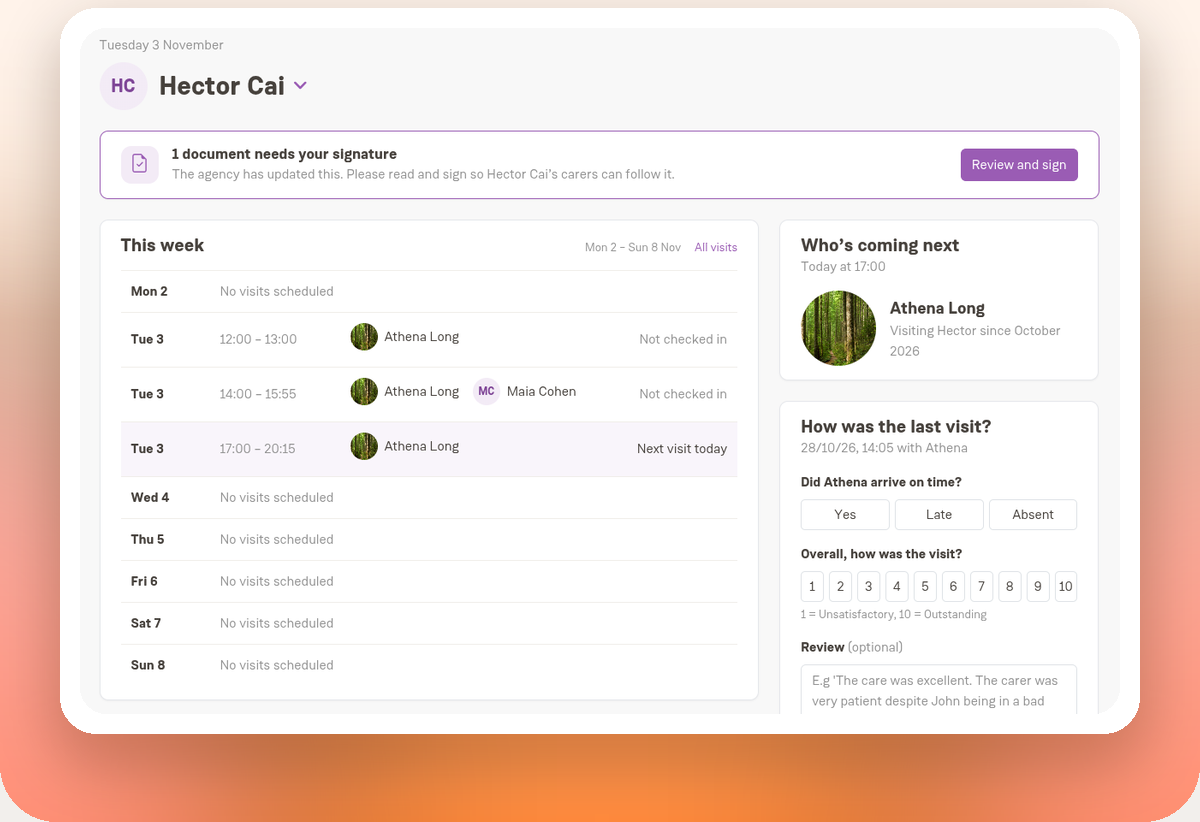
We've just rebuilt the Friends and Family portal. Families now land on a Family Dashboard: one home page for everything about the person they look after, so they get their answers without phoning your office.
Why it matters
Every agency knows the call: a worried relative asking who is coming today and whether they turned up on time. Now the answer is already on their screen. For CQC, it shows families are kept informed, involved and listened to, and the new arrival feedback on visit reviews gives you punctuality evidence you can act on.
What families see on the Dashboard
Who's coming next, with the care worker's photo and arrival time
This week: every visit with its status
Last visit report, with a quick way to review the visit
Invoices: the most recent ones, with a link to all invoices
Care documents waiting for their e-signature (if you have e-signatures turned on)
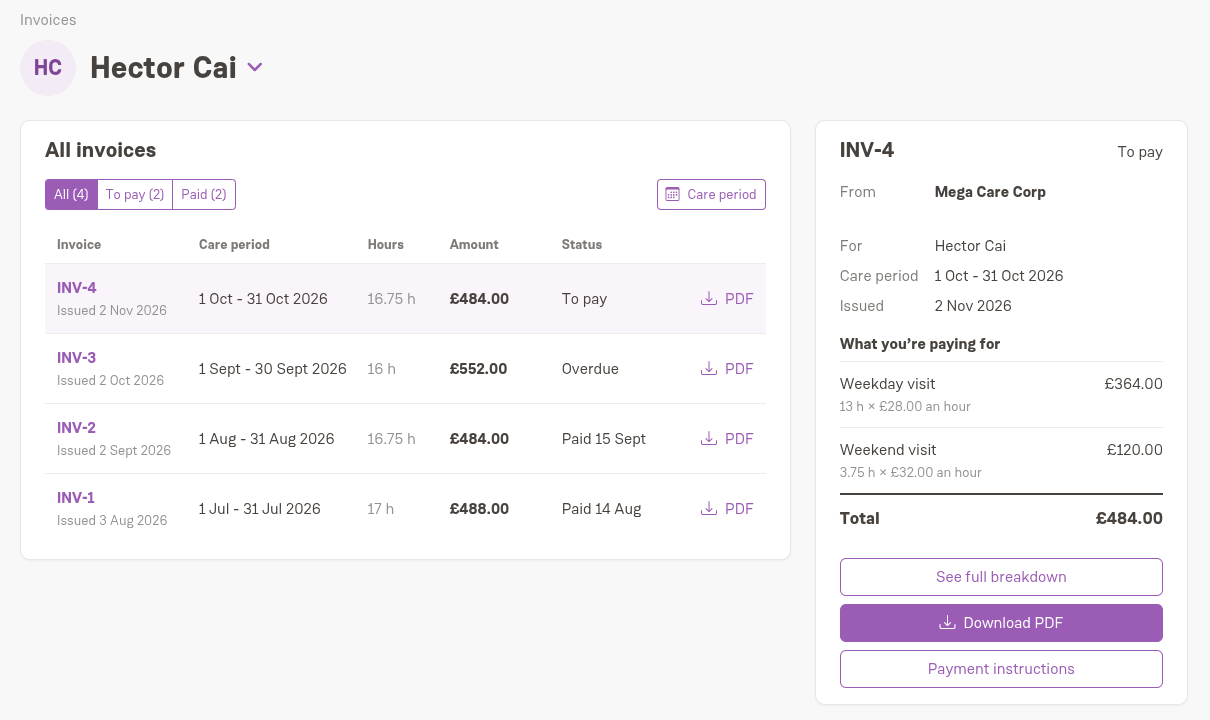
Invoices without the chasing
The new Invoices tab shows issued, late and paid invoices (never drafts), with the full breakdown, a PDF download and a How to pay button with your payment instructions. Families can tell you they have paid, from the portal or from a link in the invoice email. It is only a note: you see a new Reported paid date on your Invoices list and still mark the invoice as paid yourself.
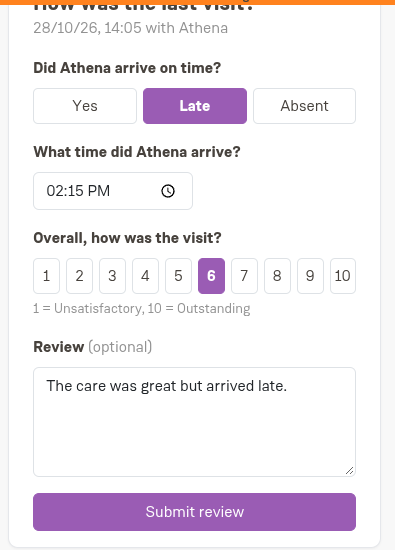
Visit reviews you can act on
As well as rating the visit, families now say whether the care worker arrived on time, late or was absent, and the time they arrived if late. You see it on the visit report, for example "Arrived late, at 09:20".
Also new
A restyled Schedule with the past 2 weeks of visits, a date picker and pagination
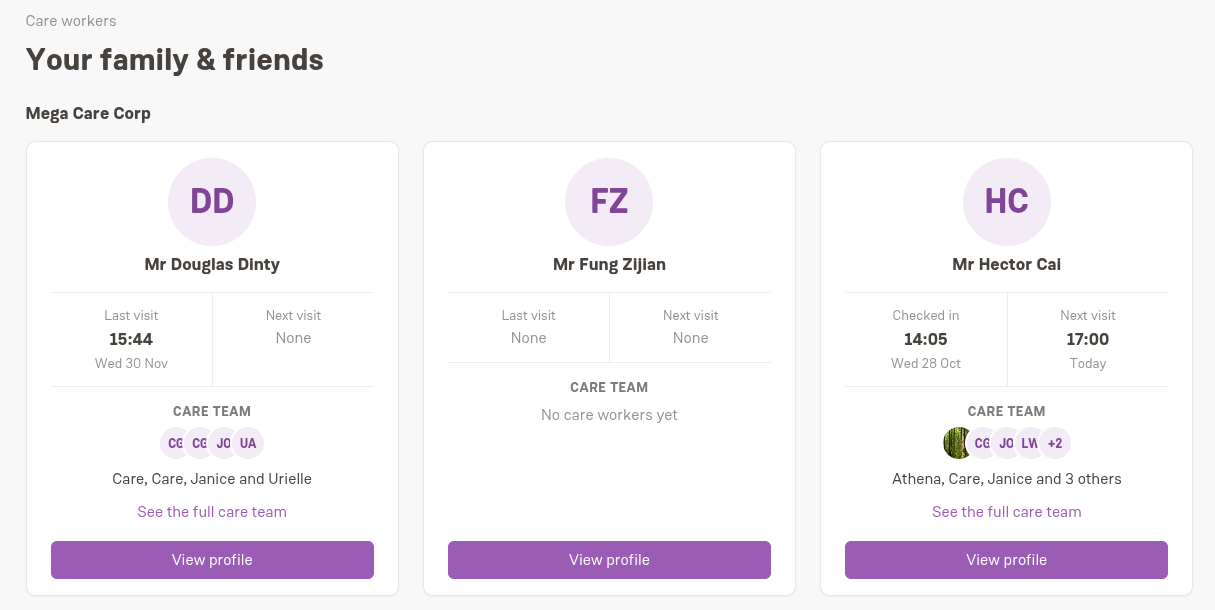
A Family and friends page showing each client's care team and how long each care worker has been visiting
A searchable client switcher for families linked to more than one client
Getting started
There is nothing to switch on. Every family member set up as a decision maker sees the Dashboard next time they log in, and what they see follows your settings for schedule sharing, invoicing and e-signatures. The full guide is in our Help Centre: Friends & Family Portal
Questions? Contact your account manager.